PHP version of place search web app
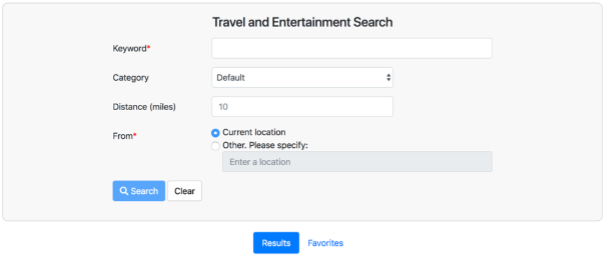
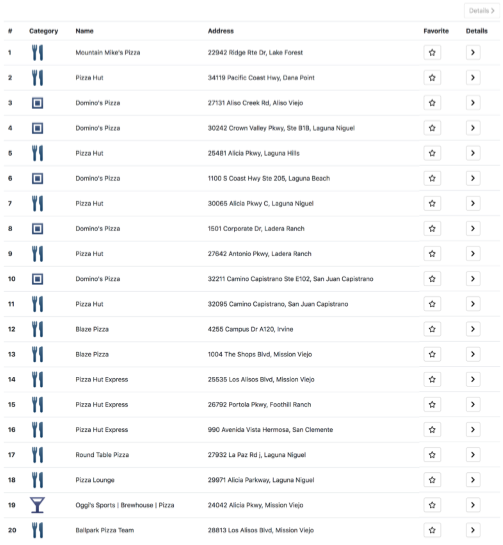
This is practice to create a webpage on Node.js and responsive web design, that allows to search for places information using the Google Place API, and the results will be displayed in a tabular format. The page will also provide reviews and photos for the selected place.
Description
- Fetch the user’s geolocation using the ip-api.com HTTP API
- Use HTML5 placeholder to show the default value hint.
- Search place detail using Google Place API
- Responsive Web Design using Bootstrap4
- Reviews of the place using Yelp API
Google Place API
This uses google Map APIs. Especially, it uses “Neary by Search”, “Place Details”, and “Place Photos”.
Nearyby Search
The Google places API Nearby Search service expects the following parameters:
- Key: Your application’s API key.This key identifies your application for purposes of quota management.
- Location: The geo-location around which to retrieve place information. The geo-location is specified by latitude and longitude values.
- Radius: Defines the distance (in meters) within which to return place results. The maximum allowed radius is 50,000 meters. Note that you need to translate miles to meters for a correct value.
- Type: Filtering the results to places matching the specified type. Only one type may be specified (if more than one type is provided, all types following the first entry are ignored).
- Keyword: A term to be matched against all content that Google has indexed for this place, including but not limited to name, type, and address, as well as customer reviews and other third-party content.
An examples of an HTTP requests to the Google Places API Nearby Search that searches for the neary cafes near the University of Southern California within a 10 miles radius is shown below:

Result of Nearby Search Query
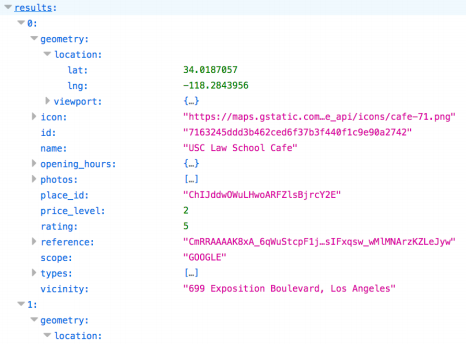
A Valid Search Results
Place Detail
The Google Places API Details service expects the following parameters:
- place_id: An id returned as result of Google Places API nearby search service
- Key: Your application’s API key.This key identifies your application for purposes of quota management.
An example of an HTTP request to the Google Places API Place Details is shown below:

An Example of a Valid Search result
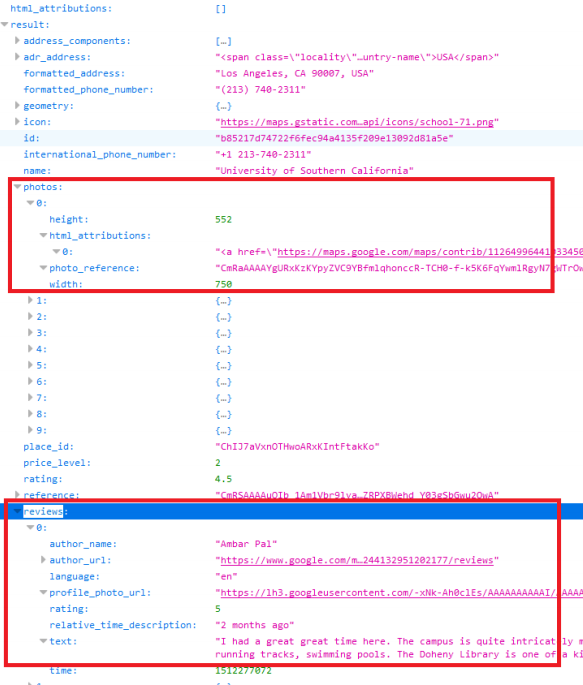
Place Photos
The Google Places API Photos service expects the following parameters:
- Photo_reference: A string identifier that uniquely identifies a photo. Photo references are returned from either a Place Search or Place Details request.
- Key: Your application’s API key.This key identifies your application for purposes of quota management.
- maxheight or maxwidth: Spedifies the maximum desired height or width, in pixels, of the image returned by the Place Photos services.
An example of an HTTP request to the Google Places API Place Photos is shown below:

An Example of a Valid result
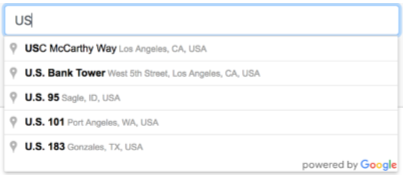
Auto Complete
Autocomplete is implemented by using the autocomplete service provided by Google.
An example of Google Auto Complete service is shown below:
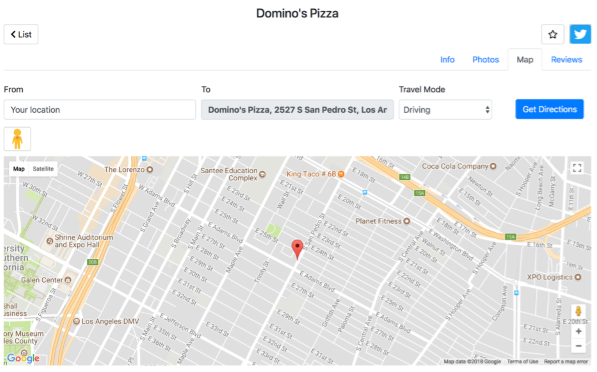
Google Map
A sample of Google Map with “699 Exposition Blvd, Los Angeles”
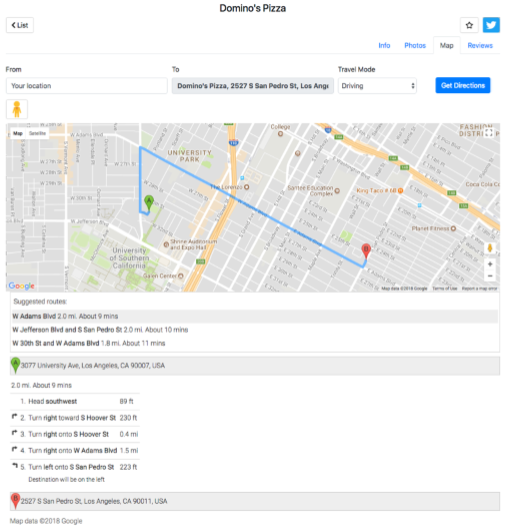
Directions
A sample of Google Map Direction
Masonry Style Layout
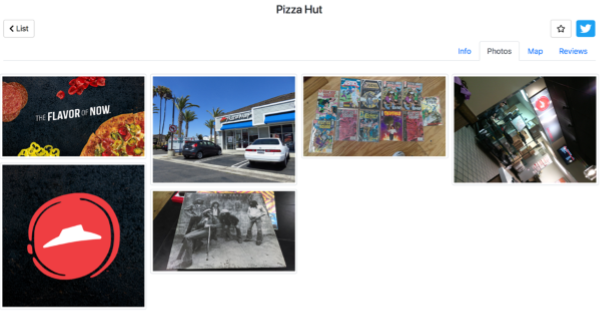
Masonry layout is referred to as the Pinterest Style Layout, as www.pinterest.com was the first major website to use this layout style. Masonry is a grid layout based on columns. This web app implementes Masonry layout using Bootstrap4’s card columns.
A sample of Masonry Style Layout
Responsive Web Design
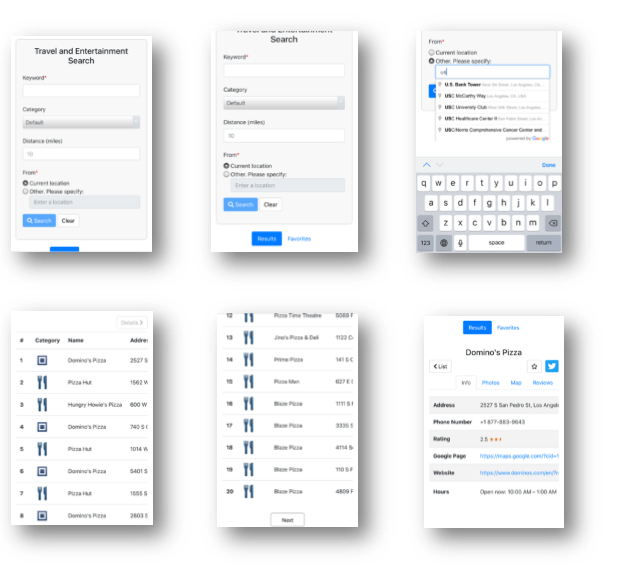
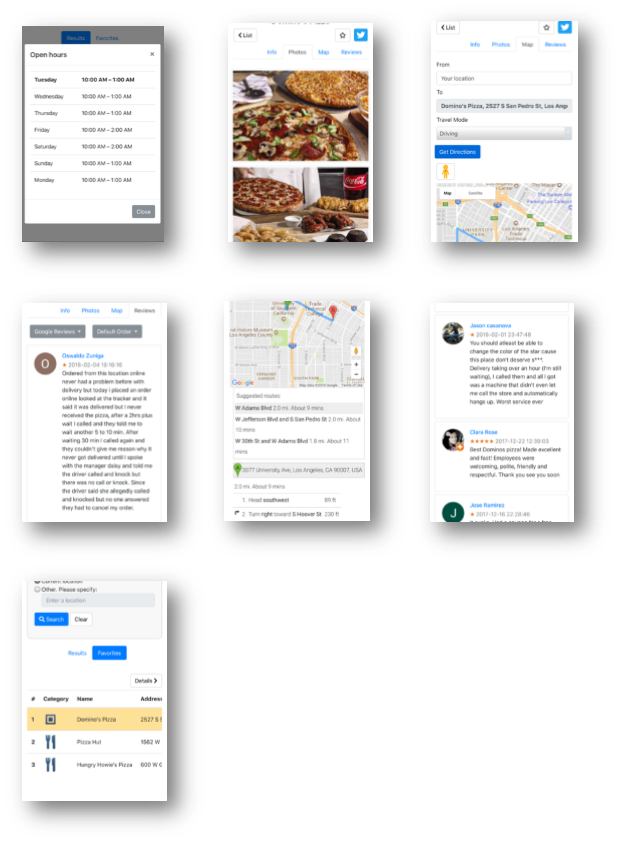
This web app implementes RWD(Responsive Web Design) using bootstrap4. The following are snapshots of the webpage opened with Safari on iPhone 6 Plus.
Building Environment
- Apach 2
- NGINX 1
- Node.js and Express 4.16.4
- jQuery 1.7.4
- jade 1.11.0 (pug)
- constantinople 3.02
- transformers 2.1.0
- bootstrap 4.1.3
Run
$ npm install -g express
$ npm install
$ node app.js
Status
This is a assignment of CSCI-571 Webtechnologies, 2018 spring
Version 1.0